 Online Global Master Global Themes, Plugins, softwares are here.

Do you want to publish your blog post on social medias instantly? so, here you go with below details.
There are plenty of plugins are available in WordPress , among them i prefer to use jetpack plugin that is made by wordpress.com. There are more options in the plugins for various works. I’m explaining here just sharing the posts on social media. you need to follow some steps:
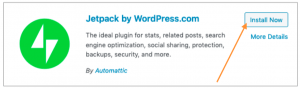
Step 1: Click on the “plugin” menu and click “Add new” then search by “Jetpack by WordPress.com” and then you need to click on “Install Now” button and Activate it.
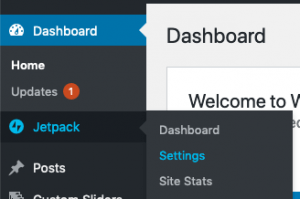
Step 2: Secondly, Need to click “Settings” option from jetpack and go inside of this as well as will see some options.
Step 3: Thirdly, you see the below screen just click on “sharing” tab and click on “Automatically share your posts to social networks” and click on “connect your social media accounts”.
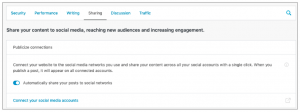
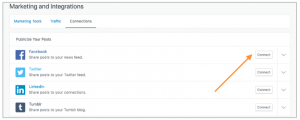
Step 4: Fourthly, click on the “connect your social media accounts” and see below screen and then just click on “connect” button of each social media to add it with WordPress post . When you click on “connect” button it will redirect to
each social media page. You just need to access using credentials.
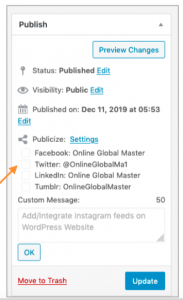
Step 5: Finally, You need to add post from WordPress post menu and check the right side of blog post. Now, when you publish any posts it will post on WordPress website as well as on your added social media feeds.
Video Tutorial : How to publish WordPress blog post on social medias (Facebook, Twitter, Linkedin, Thumblr etc.) instantly by jetpack.


Deprecated: parse_str(): Passing null to parameter #1 ($string) of type string is deprecated in /home/u659373445/domains/onlineglobalmaster.com/public_html/wp-content/plugins/jetpack/class.jetpack.php on line 3933