The post WordPress WooCommerce Colors and Swatches for Variations appeared first on Online Global Master.
]]>This wp plugin provides a much easier and nicer way to show variations of variable products.
Are you running an E-Commerce store or business and thus want to adorn your website with best of image swatches?
WordPress WooCommerce Color and Swatches for Variations will aid you with selecting variations which will beautify and maintain your e-store. There you can apply product images with your WooCommerce products intact which will give a the perfect picture of your swatch image.
Adding to the list, WooCommerce color swatchs count upon extending product attributes that will give a streamlined look of your store to your customers who are buying things from your excellent and unique platform. Woocommerce color swatch provides a beautiful a clean look that helps to attract your customers and give a real swatch image of your woocommerce product.
Advantages of WooCommerce Color and Swatches for Variations:
1. User friendly & unique interface
2. Defines every selected woocommerce product with global attribute and swatch images.
3. WooCommerce Color and Swatches for Variations gives with perfect show of image thumbnail show type.
4. WooCommerce Color Swatches comes with different size variation for product detail page as well as shop/archive/category page.
5. WooCommerce color swatch provides smooth color and image swatches for variable products.
Live Demo
Visit demos to experience the unmatched benefits of plugin and explore the settings.
Frontend demo : Click here
Backend demo : Click here
This plugin is not subjected to GDPR compliant as it does not store any sensitive data of a user. It only holds information related to software which is run by WordPress & WooCommerce of the holder.
Thank-you for your interest in WooCommerce Colors And Swatches For Variations, Makewebbetter.
Demo Download Hosting Get FREE DomainThe post WordPress WooCommerce Colors and Swatches for Variations appeared first on Online Global Master.
]]>The post WordPress WooCommerce Coupon Box Plugin appeared first on Online Global Master.
]]>It is a wp plugin that assists you to collect your customers’ emails. Also, The plugin displays a pop-up/modal that let customers subscribing to their emails to get discount or offer coupons.
- Show Coupon Box pop-up or modal
- Sync with Mail Client Both MailChimp and Active Campaign
- Send Coupon to subscribers
Features of WooCommerce Coupon Box:
Coupon Box Modal or pop-up: A pop-up or modal will visible allowing customers to check on the GDPR checkbox and subscribe their email.
- Pop-up or Modal trigger: You can select to show the coupon box pop-up or modal. After a selected time after customers scroll their mouse when customers are about to leave your website (For Example: hover mouse on close button)
- Minimize the Coupon bar: If customers skip the modal or pop-up, also you can select to hide the modal or minimize it into top bar or button of your web page.
- Subscribe to the Reminder time: Schedule a time for the pop-up to reappear. You can set different times for case that customer subscribed to their emails and the case that customers skip the modal or pop-up.
- Display only on Homepage of website: the option that allows you to show the modal or pop-up only on the homepage of your website.
- Conditional tags available: Configure which page where the coupon box will show using WordPress conditional tags.
Coupon: The WP plugin can send discount or offer coupons to subscribers. As well as, You can select to send existing coupons or generate unique coupons.
- Generate/produce unique coupon: Whenever a visitor subscribes an email, the plugin will produce a different coupon and send it to his/her email address. You can set up the coupon amount, type, prefix and all other settings like a WooCommerce coupon plugin.
- Check Existing coupons: With this option, you need to choose an existing coupon to send to subscribers. You can choose to allows only subscribed emails to use the coupon code.
- Custom: Sending a custom coupon code to subscribers.
- Do not use coupon: By this option, visitors will not receive coupons when they subscribe emails.
Email API: you can use API key to connect the plugin with Both MailChimp and Active Campaign. The subscribed email will be automatically added to your MailChimp and Active Campaign list.
Emails: The plugin will automatically send emails to subscribers. Configure the email content as you want.
- Email content: Write the emails that will be sent to subscribers with email heading, subject, content.
- Shortcodes: The plugin provides you shortcodes to show necessary information in the email
{coupon_value} – The value of the coupon, can be percentage or currency amount depending on coupon type
{coupon_code} – The code of coupon that will be sent to your subscribers
{date_expires} – From the date that given coupon will no longer be available
{last_valid_date} – That last day that coupon is valid
{site_title} – The title of your website
{shop_now} – The Shop Now button - Shop now button: the button that helps the customer to use the coupon you’ve just sent to them. You can set up the title, the URL, and design of the button.
Email Campaigns: Subscribed emails will be saved in email campaigns.
- Export emails: export your subscribed emails as an excel file. You can select to export from a selected subscribe time or export from a selected campaign.
- List subscribed emails: you can check subscribed emails in the plugin backend any time with information about the email address, subscribe time, campaign, given coupon, MailChimp list/active campaign list.
- Email Campaign: Create/delete email campaigns to save subscribe emails.
Design: the front-end style of the Coupon Box pop-up to match your site’s style.
- Templates: 4 templates with 4 different element arrangement ways.
- Message: Display welcome, congratulation, thankyou-message.
- GDPR Checkbox: Display a checkbox allows customers to agree with your site policy, terms of use.
- Close button styles: 6 different icon style for the close button, size, position.
- Header style: Configure the header style with title and background. You can use images as your background.
- Body style: Configure the Coupon Box body style with text font, background image.
- Social Network icons: Display your social network on the Coupon Box pop-up.
- Subscribe Button: Design your subscribe button with text, text color, and background color.
- Custom CSS: The plugin allows you to add your own Custom CSS code to change the front-end as you want.
Auto-updates: Fill in your Envato purchase code to active the auto-update feature. You can use only update automatically in support time that is working.
Demo Download Hosting Get FREE DomainThe post WordPress WooCommerce Coupon Box Plugin appeared first on Online Global Master.
]]>The post Map Markers – Multi-purpose WordPress Plugin appeared first on Online Global Master.
]]>This Plugin allow you to build multiple/various maps with Google Map API on your website.
Easy & simple to add new marker and show multiple markers per page map.
4 positions/directions for toggle panel with marker items (top, bottom,left, right).
Custom designs/styles, themes(light,dark) and sizes for map.
WP Plugin has support for WordPress Gutenberg and short code builder.
Works with All renowned themes
Demo
Documentation
Video preview: Dark Theme | Light Theme
Features of WP Plugin:
- Unique Map Styles
- More Marker Colors
- New WordPress Compatible
- User friendly & easy to use
- Easy & friendly to customize
- Multiple/various Maps/Markers
- WP Gutenberg block
- Neat & Clean Design
- Customize & flexible map sizes, theme, text, color…
- Search by name etc,
- Filter by category etc,
- Popular Snazzy Maps styles
- and much more…
The post Map Markers – Multi-purpose WordPress Plugin appeared first on Online Global Master.
]]>The post WooCommerce Multiple Currencies WordPress plugin appeared first on Online Global Master.
]]>It doesn’t need you to configure any paid 3rd party service to update rates or any extra tricky setting. It depends on its own update rate system (powered by CurrencyConverterApi) that doesn’t need any additional configuration.
LIVE DEMO
https://www.codecanyon.eu/wcmc/wp-admin
(Shop admin account)
user: demo
pass: demo
(Customer account)
user: demo2
pass: demo
How to automatically update this plugin
To receive automatic updates just install and configure the Envato updater plugin from here: https://goo.gl/pkJS33 .The official guide that shows how to configure it can be found in the following link: https://envato.com/market-plugin .
How it works
Once activated, you require just few steps to make it working:
- Through the WooCommerce Multiple Currencies -> Exchange rates menu select the update frequency (every 15 min, 30 min, once a day, …)
- Through the WooCommerce Multiple Currencies -> Settings menu select select the available currencies and where the currency switcher has to be displayed
That’s it! have fun.
The wp plugin will automatically updates rates without the require of any further configuration or 3rd party services. The plugin relies on its own innovative update rates service without requiring the shop admin to set any additional tricky setting (update rate services powered by CurrencyConverterApi)!
Currency switcher display options
The plugin allows to automatically show the Currency switcher in any page footer, or in any menu (as first or last element) or through a Widget! The widget can be added to any widget area through the Appearance -> Widget menu.
Geolocation: by default currency based on location
For each currency, the shop admin can optionally associate default countries. In this way, the wp plugin will automatically select that currency at first access of any customer coming from that country. Country location detection is performed using by the WooCommerce Geolocation feature.
Payment gateway based on per currency
Would you like to create available only certain payment gateways for some currencies? You can! Just select the ones you need in for each and every currency using the Exchange rate menu.
Shortcodes
Through the special [wcmc_currency_selector] you can optionally show the currency switcher in any place!
PHP function
The wcmc_currency_selector(); function allows to show the currency switcher in any template.
Usage notes
More payment gateway may be not accepting some currencies. In these cases, they won’t be present in the checkout page. For instance, PayPal supports the following: https://developer.paypal.com/docs/api/reference/currency-codes/. Some currencies may have some limitation, like the united states dollar that can be used only by American PayPal accounts.
Some payment gateway wp plugin, like “WooCommerce PayPal Checkout Payment Gateway”, maybe not properly triggering the actual actions while retrieving product prices information. This prevents the plugin to properly compute the proper product prices data according to the selected currency.
On the admin area, the base currency will be used as the default currency. On My Account -> Orders and Orders details page, currency switching won’t take effect. Orders details are reported according to the currency by which they were placed.
Some payment gateways may be performing rounding on the final price in case the number of decimals is too high for a given currency.
If you are using 3rd party wp plugins to manipulate item prices or add custom shipping methods. make sure they are triggering the by default Woo Commerce actions and filters while they are manipulating prices. Otherwise, the Woo Commerce Multiple Currencies WP plugin won’t be able to hook into those procedures and set the price according to the selected currency.
Demo Download Hosting Get FREE DomainThe post WooCommerce Multiple Currencies WordPress plugin appeared first on Online Global Master.
]]>The post TASKLY – Project Management plugin/Tool/software appeared first on Online Global Master.
]]>Taskly is a perfect project management tool to fulfill all your project management requirements. Its a highly effective management tool to improvise your business operations if you’re an organization handling different projects. Its simple yet efficient layout will make managing projects easier than before.
Demo
Url : Demo Link
Login : admin@example.com / 12345678
What you get from Taskly – Project Management Plugin
- An effective and efficient dashboard with a graphical representation of tasks and projects.
- Access to plugin in multiple languages.
- Feasibility and flexibility in finding tasks and projects with a search bar on the top.
- Kanban tasks management systems to see the output of various projects.
- A feature which enable attaching significant files to projects.
- Creating milestones and assigning sub-tasks to see task achievement in an systematic way.
- Multiple user allowance available.
- Enables project link sharing with more clients.
- Personalize your notes and categorize them easily.
Unique features of Taskly – Project Management Tool
Multi workspace options
Build multiple work spaces for various projects. You can make an individual or share workspace by inviting other users.
Make and customize new languages.
You can access this plugin/software in multiple languages. The language will no longer be a problem to use the plugin. make and customize this tool in the language you want.
Project management system
Create new taks and assign users to them. Add users on each task. Get information on days left for a particular project as well as total tasks under each project. Set a budget and create milestones for projects.
Milestones
For each milestone built, a cost and summary will also be added. Alter the status of milestones to complete, incomplete or on hold by a simple click.
Taskboard
Add a new project in an already existing project and prioritize them according to the need of urgency. Assign the project to users and set a due date for project completion. Add comments to the project and make a sub-task for ease in completion. Add necessary files in a obligatory project.
Kanban task management system
With a simple layout, using a kanban board you could maintain the progress of your taks. A clear and fresh statistics helps you understand the number of completed, ongoing, finished or on-hold projects.
Multiple users access
Invite users and give them access to different tasks and workspace. A user tab will give brief information of projects and tasks of each user. You could always add a new user and delete an unnecessary user as and when needed.
Link/url sharing with clients
Share the project link/url with your clients with a simple click. With this, your clients can view the tasks from their own screens. Add new clients as and when essential.
Upload files in the projects
Upload the necessary or required files to your project without any hassle.
Personalize your notes
Make your personalized notes so that nothing remains forgotten. In the daily ups and downs of business, some things might run out of your mind. Keep a tab on those activities by maintaining notes. Also, you could prioritize the notes on the basis of its urgency.
Unique Calendar
The upcoming and due dates of the projects and tasks will show in the calendar. Manage the process accordingly.
Effective tool at a competitive rates
It’s an amazing plugin or software to satisfy your Business Management requriements at a friendly rate.
Demo Download Hosting Get FREE DomainThe post TASKLY – Project Management plugin/Tool/software appeared first on Online Global Master.
]]>The post How to switch WordPress Gutenberg Editor to WordPress Classic Editor ? appeared first on Online Global Master.
]]>This is the Gutenberg Editor interface. take a look and we will change it to classic editor eventually.
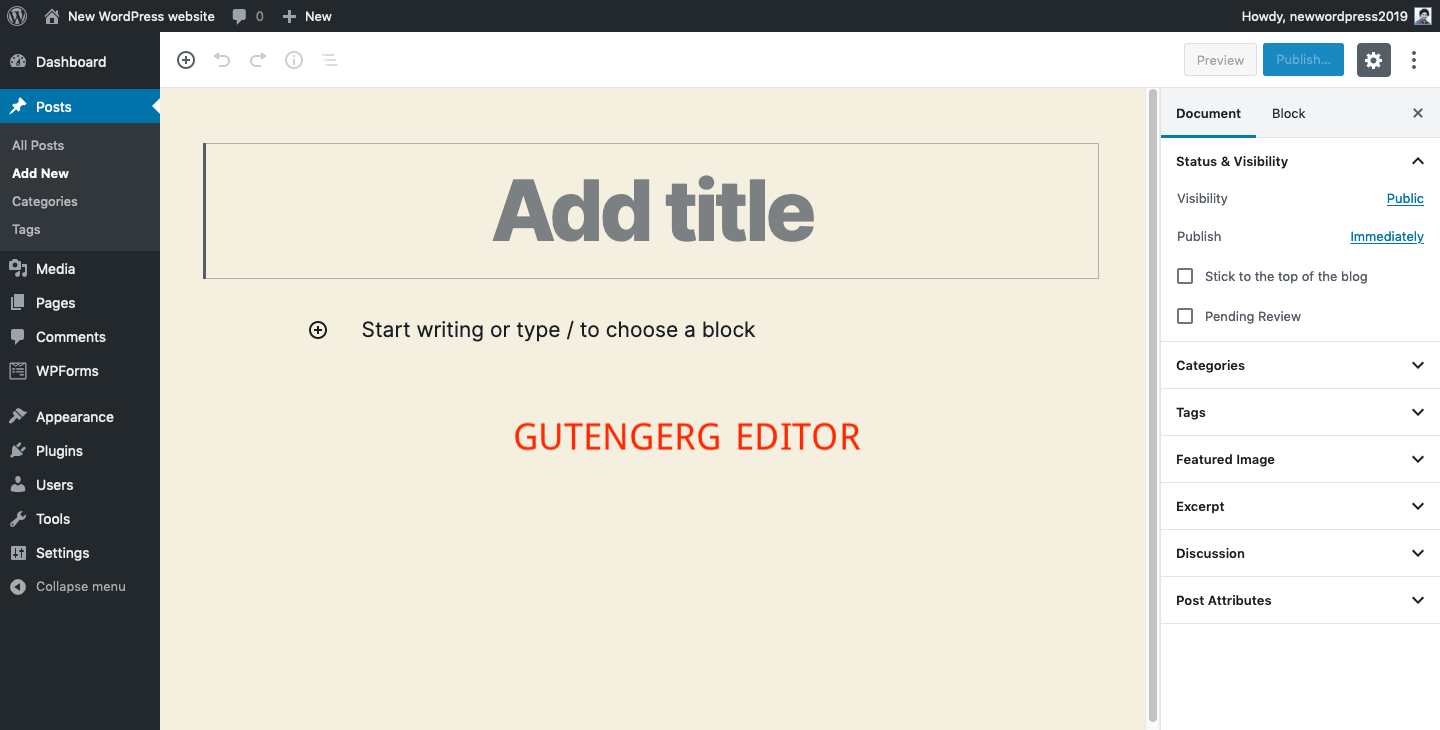
After login to your WordPress Dashboard, you Need to click on Plugins => Add New . you will see some popular plugins and has search bar in the right side. Just write “Classic Editor” and hit the Enter button. you will see like below image.

Now, you should click on “install now” button and after installing you need to click on”Activate” button to active the plugin properly.

Click “Activate” button to active the plugin.

When you active the plugin you need to go to add new post/page to see the interface.

Still, if you want to change both editor in your desired time, you can. To change Classic to Gutenberg or Gutenberg to Classic Editor, you should click on Settings => Writings and will see “Default editor for all users” menu with 2 options “Classic Editor” and “Block Editor” . From here, you can change your default editor for all users.

After that, you will see another menu “Allow users to switch editors” with “Yes and No” . so, you can also give option user to switch editors or not.
Finally, Hope you will enjoy this short article regarding this topic. Thanks.
Want to watch video tutorial how to install Classic Editor instantly? Watch this :
Hosting Get FREE DomainThe post How to switch WordPress Gutenberg Editor to WordPress Classic Editor ? appeared first on Online Global Master.
]]>The post Add/Integrate instagram feeds on WordPress Website appeared first on Online Global Master.
]]>if you watch the below videos it will be more and more easy for you to add it on your WordPress Theme because i showed it simply.
Hosting Get FREE Domain
The post Add/Integrate instagram feeds on WordPress Website appeared first on Online Global Master.
]]>